You are viewing documentation for Cozystack v0. For the latest version, see the v1 documentation.
Install Talos Linux using ISO
How to install Talos Linux using ISO
This guide explains how to install Talos Linux on bare metal servers or virtual machines. Note that Cozystack provides its own Talos builds, which are tested and optimized for running a Cozystack cluster.
Installation
Download Talos Linux asset from the Cozystack’s releases page.
wget https://github.com/cozystack/cozystack/releases/latest/download/metal-amd64.isoBoot your machine with ISO attached.
Click
and fill your network settings: 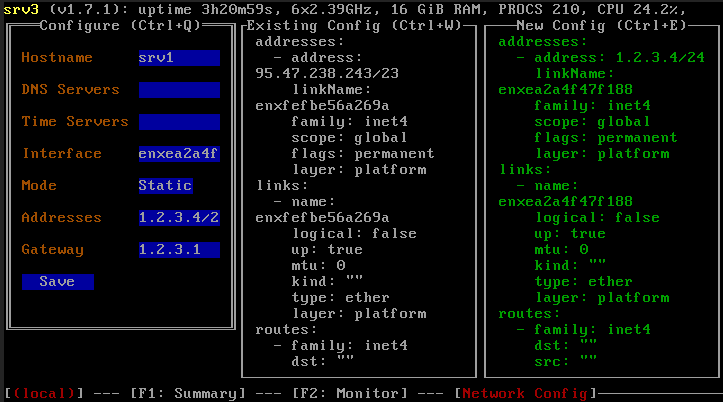
Next steps
Once you have installed Talos, proceed by installing and bootstrapping a Kubernetes cluster.